

On clicking the link to renew ( HERE ) you will open the Beacon “Members Portal”:
(Note the illustrations are for guidance only and may vary slightly on your device)
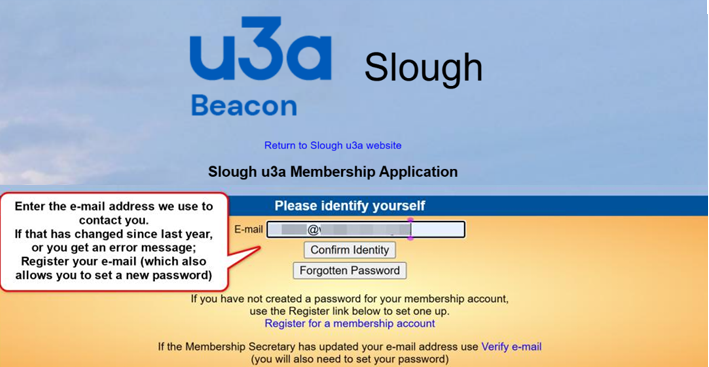
Add your e-mail address and click “Confirm Identity”, then enter your password,
If successful ,Click Here or....
If you have not yet set a password in this system, see below …
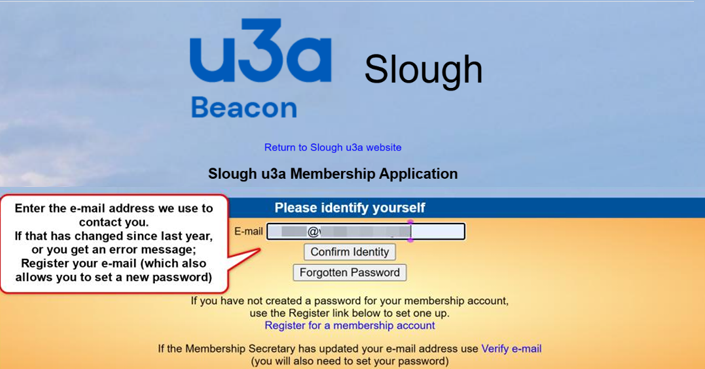
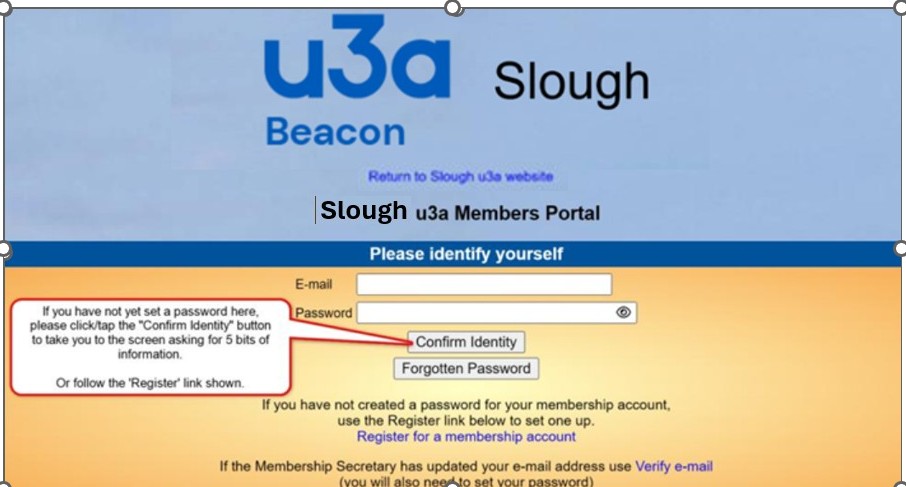
NOTE The Metropolitan Police recommend using three random words to create long, memorable passwords. Example: “gardenbluepiano27” Long passwords are far harder to crack.
Referring to your renewal e-mail, carefully* fill in the 5 boxes and click “Confirm Identity” button to proceed.
- Take care if copy/pasting not to include a stray ‘space’, or if typing, be sure use upper/lower case letters
identically. Do NOT accept any words offered by autofill or auto-correct, just enter it exactly as per the
e-mail, which shows everything in the correct order to enter.
If you are told you need to register your e-mail address, follow the instructions provided on screen. Please
note that you must confirm the e-mail within one hour of choosing that option.
If you need to set a first password, or reset your existing password, you will see this screen;
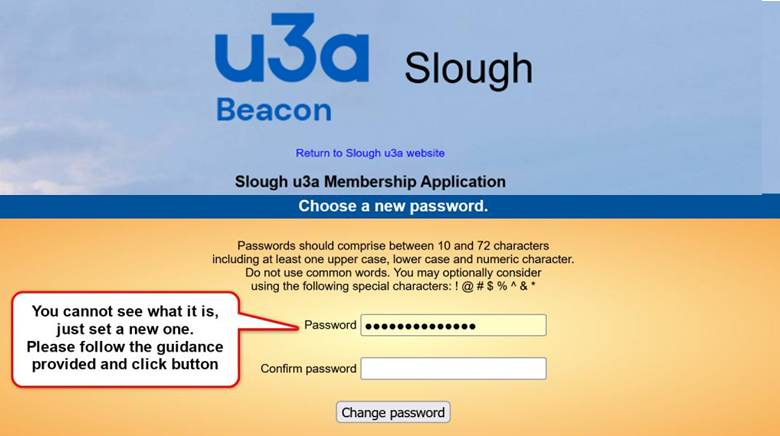
Delete the row of dots (above) and create a new password following stipulations.
Please do NOT re-use any password you have used on another website!
You will then be offered the log in screen again, you should now be able to log in.
Having logged in using your e-mail and new password, you should see the Select an option menu:
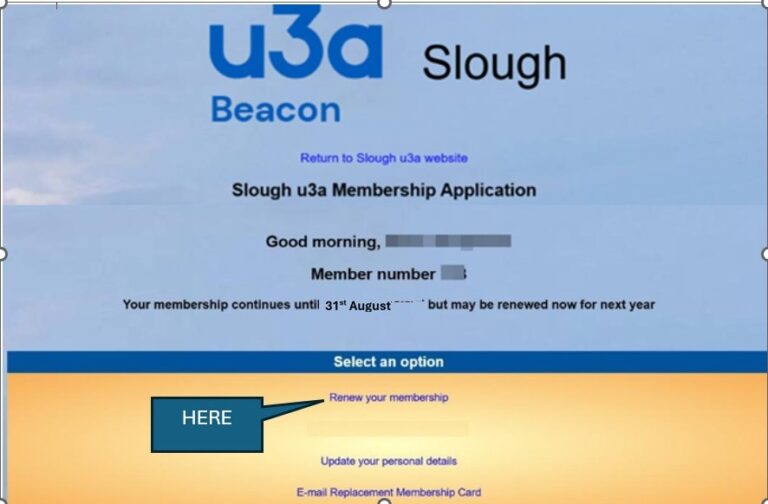
Click the link to “Renew your membership”.
Please note, if you log in just before the renewals are due, the “Renew your membership” link will NOT be visible.
If you log in after the renewals period has begun and the link is not visible, it means you have already
renewed for the current year.
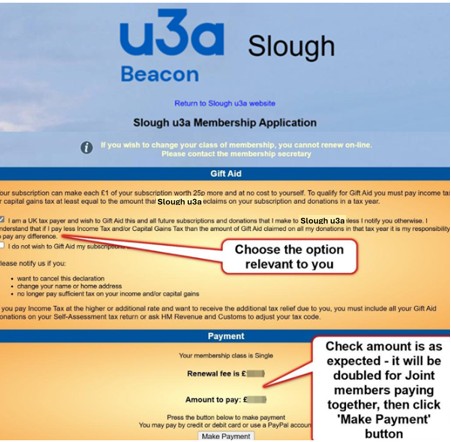
Consider the Gift Aid choice and tick the correct one for you.
The fee amount should be checked, then please click the “Make Payment” button.
This provides another confirmation of amount screen (below):
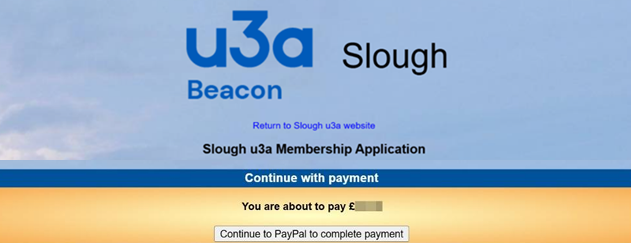
Click the “Continue to PayPal to complete payment” button to progress.
PLEASE do this even if you do not have a PayPal account,
Because you do not need one, read on …
(We have to admit they try very hard to persuade you to ‘log in’ or ‘create an account’, but we’ll show you how to avoid that below.)
The national u3a organisation that provides our membership system have chosen PayPal as their only online payment collection partner.You can use the PayPal payment method whether you "join" PayPal or Not. PayPal are international recognised and provide secure payment facilities for thousands of businesses. However, if you are adamant about not using the PayPal system; please return to the previous page for alternative renewal options.
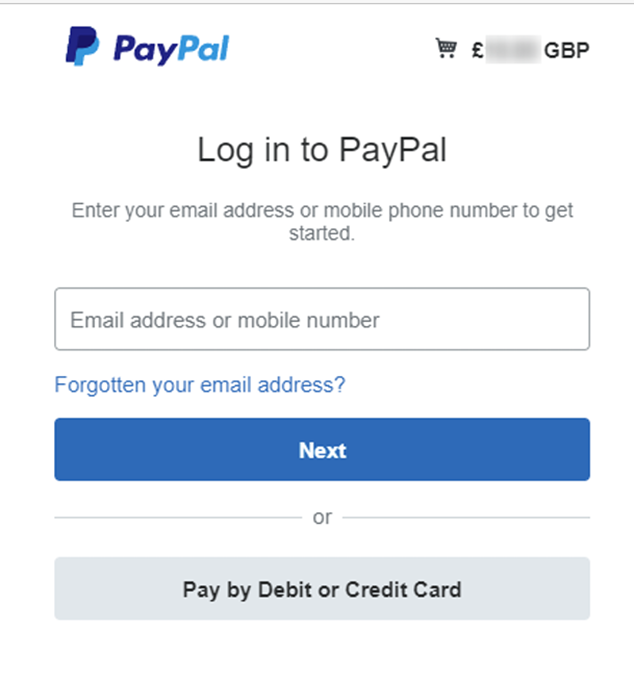
At PayPal (showing same amount), this offers two options:
either to log in (blue ‘Next’ button) - or -simply pay by card (grey button)
If you have a PayPal account, fill in your e-mail address or mobile number and click blue “Next” button.
At this point I will assume you know how to complete a purchase.
If you: don’t have a PayPal account,
don’t want one,
or have one, but don’t want to use it for this
That is no problem – please click the grey “Pay by Debit or Credit Card” button and read on.
This takes you to the “Check out as a guest” screen:
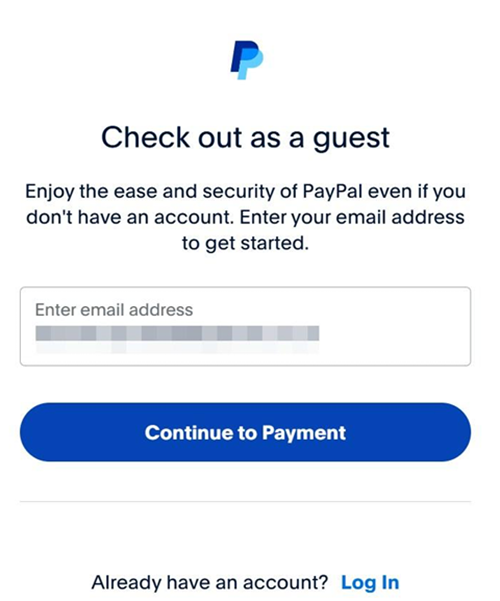
Fill in your e-mail address (needed for sending a receipt) and click the blue “Continue to Payment” button.
This opens a big scary form to create an account, but please ‘DO NOT PANIC’, just ….
scroll down past the top section.
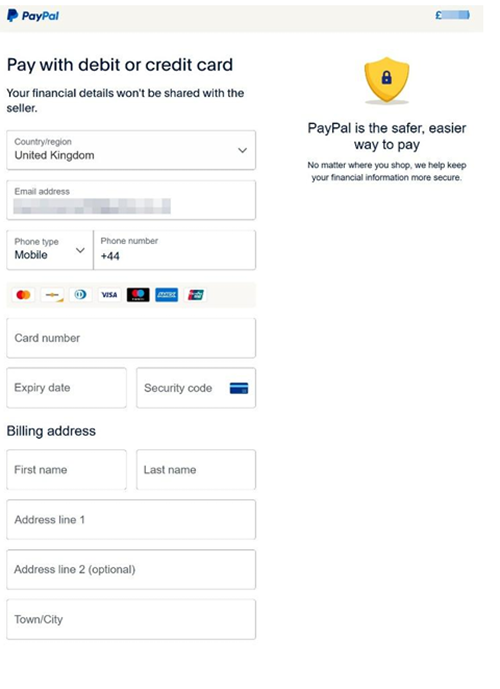
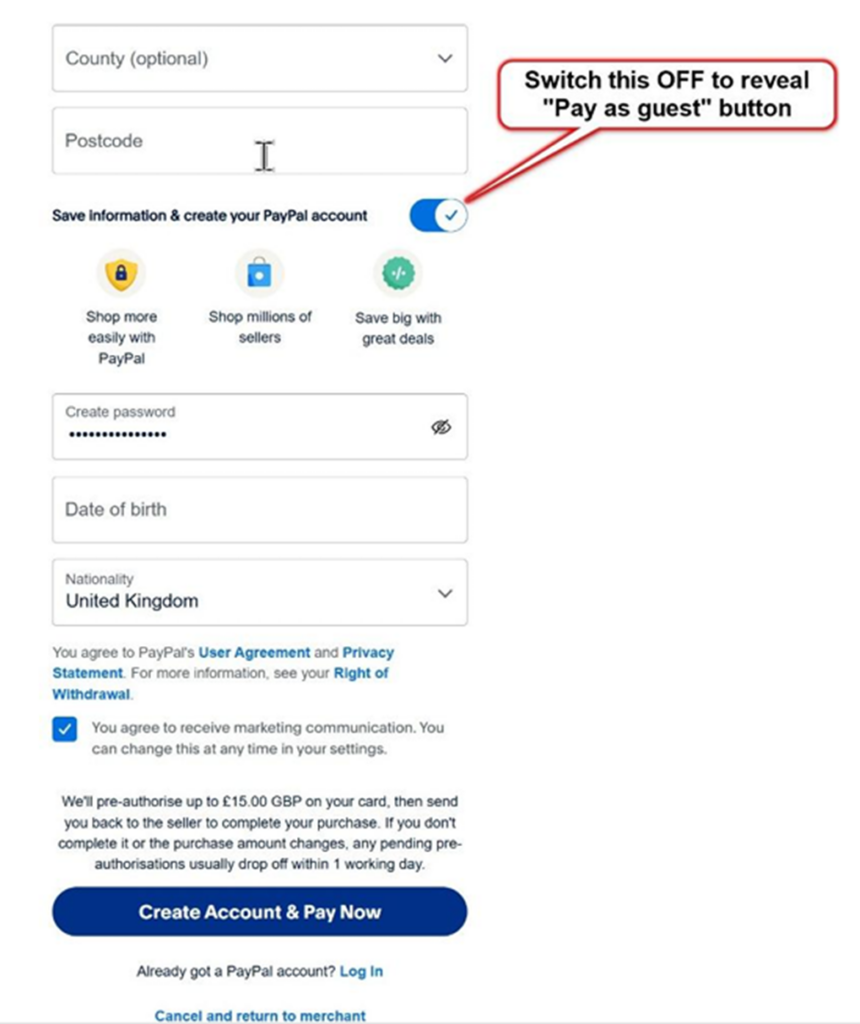
Just below the ‘Postcode’ box, locate and turn OFF the switch
labelled “Save information & create your PayPal account” (move it to the left).
This will change the form you are filling in and make the “Pay now as guest” button visible.
There you are (below), that’s much better, isn’t it?
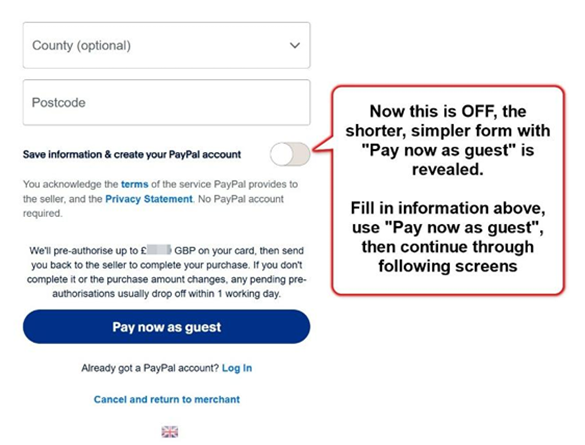
Please follow the further on-screen instructions to payment completion.
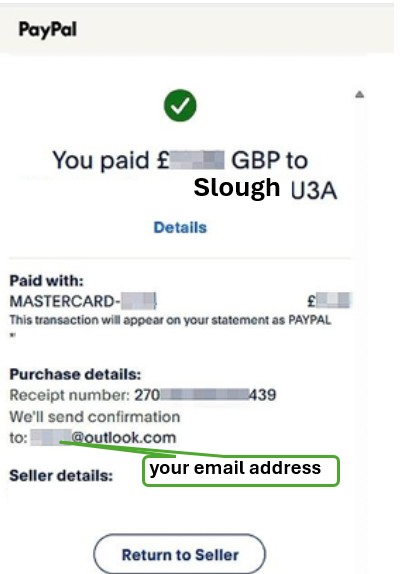
You will soon receive two e-mails, one confirming the payment from PayPal and another from Beacon
(Slough U3A) automatically confirming your membership renewal.
The reasons we ask you renew online:
- If you pay by BACS (Bank Transfer)
The treasurer must firstly check that the payment has been received in our account, there are occasional hiccups which means the treasurer has to contact the payer.
Once payment is confirmed the Treasurer then has to manually update your membership status on the Beacon database and then send a confirmation e-mail. - If you pay by Debit/Credit card using the card machine.
The Treasurer must make a note of your name and the time of payment as the card company only supplies the date/ time and amount of payment together with the last 4 digits of the card number used, then has to wait for the card company to pay the money into our account before updating your membership record. - If you pay by cheque.
The cheque must be paid into the bank, either by the Treasurer using an App on a smartphone to photograph both sides of each cheque and key in the amount and your details or by paying the cheque into a branch of Lloyds.
This is bad enough, but when a significant number of cheques arrive with errors, omissions or are just plain illegible (e.g. blue ink), the bank won’t accept them - then we must chase after members for a new cheque, then repeat the whole paying-in process again. - If you cannot renew online because you don't have the necessary equipment
Please pay by BACS (Bank Transfer) if possible or, failing that, pay by card at a group meeting or as a last resort by cheque.
If you are not willing to pay online, before paying by a different method you should remember that it takes the treasurer over 2 minutes to action each BACS payment and a lot longer to deal with a card payment.
As mentioned earlier PayPal is a recognised and secure method of payment throughout the world and many u3a groups use online renewals on a regular basis.
With well over 200 memberships the more renewals the treasurer has to do manually the more of his time is taken up. At the end of the day we are all volunteers so if at all possible, please renew online.
If you follow the instructions carefully it is not too difficult and you only have to register for a members portal once.
Finally:- We are all volunteers, please save our time by renewing online, or at least follow the instructions with care. They took hours to write, and more to keep updating each year - please read them carefully and comprehend before attempting to renew online - and keep them handy whilst renewing.
Our Thanks to Windsor u3a for allowing us to base this on their established process.
Our Thanks to Windsor u3a for allowing us to base this on their established process.